
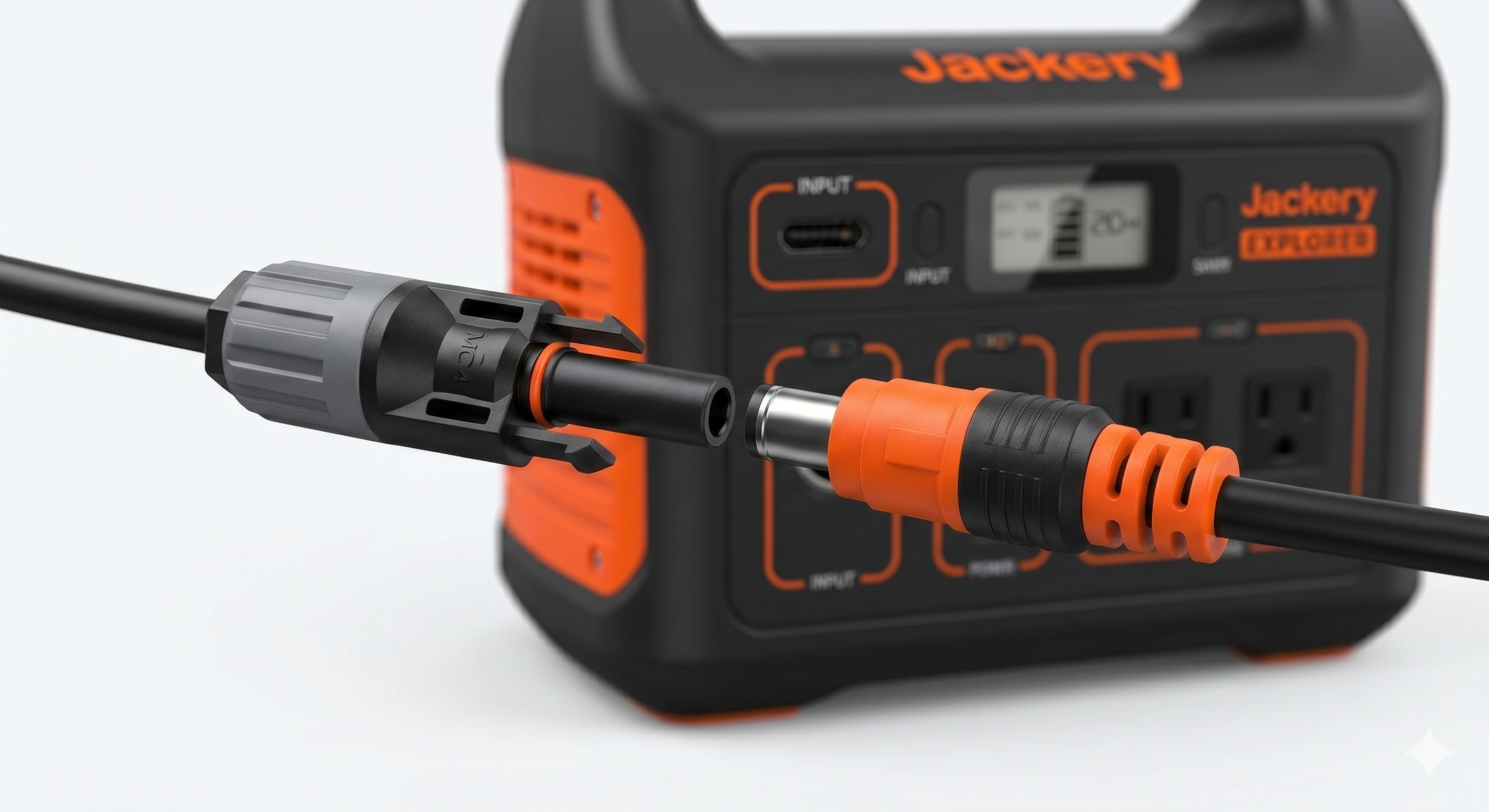
Jackery Explorer 200W Solar Panel Compatibility
This Jackery Explorer 200W solar panel compatibility guide explains how to safely connect a Rich Solar 200W panel, including voltage limits, connector type, polarity, and the correct MC4-to-Jackery adapter. Rich Solar 200W panels can work with some Jackery Explorer models, but only when the input voltage and connector match the power station safely. Safety Warning: Always check the official Jackery user guide for your exact model before connecting any solar panel, adapter or cable. Jackery Explorer models vary by generation and region. Never connect a panel if its open-circuit voltage exceeds the maximum solar input voltage of the power station. Verify all panel values against the official panel datasheet and the power station manual before connecting.
One of the most common questions for Jackery owners is: “Do I have to use Jackery’s expensive SolarSaga panels, or can I use a third-party brand like Rich Solar?”
The short answer is yes, you can use third-party panels. Rich Solar’s 200W 12V monocrystalline panels are a popular option for off-grid setups because of their solid efficiency and rugged design. However, connecting them to a Jackery Explorer requires checking several compatibility factors: voltage limits, current limits, connector type, polarity, cable quality, and the exact model specification.
Quick Answer: Can You Use It?
Rich Solar 200W 12V panels may work with some Jackery Explorer models, including the Explorer 240, 500, and 1000, when Voc, Vmp, current, connector type, polarity, cable quality, and the exact Jackery model limits match. You will need an MC4 to DC7909 (8mm) adapter to connect them. While the panel can produce up to 200W, your Jackery may cap the input based on its internal controller limits. Always verify the exact input limits against the official Jackery manual for your model and generation before connecting.
After confirming compatibility, you can improve real-world wattage with our Solar Charging Optimisation Guide.
Technical Explanation: Why Third-Party Panels Work
Solar panels are essentially “dumb” power sources; they provide DC voltage and current. Portable power stations like the Jackery Explorer series contain an internal MPPT (Maximum Power Point Tracking) charge controller that “pulls” the power it needs from the panel.
As long as the panel’s Open Circuit Voltage (Voc) and Operating Voltage (Vmp) fall within Jackery’s allowed input range, the panel’s brand does not matter.
Main Causes of Confusion (Technical Breakdown)
1. Voltage Compatibility (Vmp & Voc)
Rich Solar’s MEGA 200 panel (the 200W 12V model referenced throughout this guide) is officially rated at 200W, with a Vmp (Voltage at Max Power) of 18.4V, Imp (Current at Max Power) of 10.9A, Voc (Open Circuit Voltage) of 21.8V, and Isc (Short Circuit Current) of 11.6A — per the official Rich Solar MEGA 200 product page and datasheet (SKU RS-M200). Jackery Explorer units have a wide input voltage window (typically 12V–30V DC). Since 21.8V stays within that 30V ceiling, the panel’s voltage is compatible with the station’s DC input — voltage alone does not establish full compatibility; see the Compatibility Matrix below for wattage, current, and connector considerations. Always verify against the official Rich Solar MEGA 200 product page or the official datasheet (PDF), since printed specifications can vary slightly by production batch.
For the full difference between Voc and Vmp and why Voc is the figure to check for input-voltage safety, see the Voc vs Vmp guide.
2. Jackery Input Wattage Limits
Note: Check your exact Jackery user guide for the precise input wattage limits, as these can vary by model generation and region. The figures below describe the original Explorer 240/500/1000 generation; Jackery’s current lineup also includes “v2,” “Plus,” and “Pro” versions of these same model numbers, which can carry different solar input specifications — always match the exact generation printed on your own unit or its manual, not just the model number. Your Jackery has a “bottleneck” regulated by its internal charge controller:
- Jackery Explorer 240: Caps input at 65W.
- Jackery Explorer 500: Caps input at 100W.
- Jackery Explorer 1000: Caps input at 163W.
These three figures are verified against Jackery’s own official product documentation for each ORIGINAL (pre-“v2″/”Plus”/”Pro”) model: Explorer 240 spec archive, Explorer 500 spec archive, and Explorer 1000 spec archive (archived because Jackery has since reused these model names for newer “v2” hardware with different specifications). None of these sources separately publish a maximum input current figure, only the voltage range and wattage cap shown above.
3. The Connector Gap
Rich Solar panels use industry-standard MC4 connectors. Jackery’s classic Explorer 240/500/1000 generation uses a proprietary DC barrel port, commonly identified as DC7909 — though this exact identification was not independently confirmed on Jackery’s own archived spec pages during this remediation, and DC7909 and the similar DC8020 standard are not automatically interchangeable. “8mm” alone is not precise enough to select a safe adapter: the connector’s exact diameter, center-pin contact arrangement, adapter direction (which end plugs into which device), voltage rating, and current rating must all match your exact panel and exact station input. Never force a connector that does not seat cleanly — a tight or angled fit means the standard does not match, not that it needs more pressure. Check the DC barrel connector size and polarity guide to confirm which standard your exact unit uses, and buy only the adapter documented for that exact panel and exact station input. These are physically incompatible with MC4 without a correctly matched adapter.
Do Not Connect the Panel If
- The exact Jackery generation or region is unknown.
- The exact Rich Solar panel or datasheet is unknown.
- The connector standard, pinout, or polarity is unverified.
- Cold-weather Voc may exceed the documented maximum input voltage.
- Current could exceed a station, cable, connector, adapter, or branch-component limit.
- Cable or adapter ratings are missing or unknown.
- This article conflicts with the exact official manual for your unit.
- The setup relies on the station’s own current limiting to protect under-rated upstream cable, connector, or adapter hardware.
- A connector is damaged, loose, contaminated, overheated, or requires force to seat.
How to Connect Rich Solar to Jackery (Step-by-Step)
Step 1: Purchase an MC4 to DC7909 (8mm) Adapter
You need a cable with female/male MC4 connectors on one end and the correct 8mm DC plug on the other — confirm DC7909 vs. DC8020 for your exact unit using the connector guide above before buying. See the visual connector identification guide if you are not sure which connector you are looking at. Conductor gauge is not a fixed universal number: the correct wire size depends on the actual current, the one-way and round-trip cable length, the conductor material, its resistance, insulation and temperature rating, the installation environment, the connector and adapter’s own current rating, acceptable voltage drop, and the cable manufacturer’s instructions. Depending on the exact documented circuit, 10AWG or 12AWG may both be appropriate in different setups — no single gauge is correct for every setup. The Hardware Guide below covers the full voltage-drop method for sizing a cable correctly.
Step 2: Verify Polarity
Critical: The center pin of the Jackery 8mm port must be Positive (+). Rich Solar panels use standard MC4 polarity. Always verify the center pin polarity with a multimeter before connecting to avoid damage — see the polarity-checking guide for the full, safe step-by-step method.
Step 3: Connect in Parallel (Optional for E1000)
If you have two panels, do not connect them in series (43V+), as this exceeds the Jackery’s 30V limit. Use an MC4 Parallel Y-Branch connector, and see the series vs parallel wiring guide for how each method changes total voltage and current.
- Two panels in series: total Voc ≈ 2 × 21.8V = 43.6V, and total Vmp ≈ 2 × 18.4V = 36.8V; current stays at approximately one panel’s rating (Isc 11.6A / Imp 10.9A). Compare the array’s cold-weather Voc, which rises above the 21.8V nameplate figure in cold conditions, against your exact Jackery generation’s documented maximum input voltage before connecting in series.
- Two panels in parallel: voltage stays at approximately one panel’s rating (Voc 21.8V / Vmp 18.4V); total Imp ≈ 2 × 10.9A = 21.8A and total Isc ≈ 2 × 11.6A = 23.2A. Compare this combined current against your station’s, cable’s, connector’s, adapter’s, and branch-connector’s documented current limits — parallel wiring is not automatically safe just because the voltage stays low.
Technical Insight: Compatibility Matrix
The figures below describe the original Explorer 240, 500, and 1000 generation. If you own a “v2,” “Plus,” or “Pro” version of these models, check that unit’s own manual, since solar input specifications can differ from the original generation shown here.
Explorer 240 (original, pre-v2)
Region / Manual: Manufacturer-published spec, all regions
Compatibility with Rich Solar MEGA 200: Panel Voc (21.8V) is within the 12-30V window. The panel’s rated power exceeds this station’s documented 65W input-wattage figure. Under supported operating conditions, the station may limit accepted input power to its documented 65W maximum, but that does not by itself confirm current, connector, polarity, cable, or adapter compatibility.
Verdict: Conditional
Official Source: Archived official spec — Jackery Explorer 240
Explorer 500 (original, pre-v2)
Region / Manual: Manufacturer-published spec, all regions
Compatibility with Rich Solar MEGA 200: Panel Voc (21.8V) is within the 12-30V window. The panel’s rated power exceeds this station’s documented 100W input-wattage figure. Under supported operating conditions, the station may limit accepted input power to its documented 100W maximum, but that does not by itself confirm current, connector, polarity, cable, or adapter compatibility.
Verdict: Conditional
Official Source: Archived official spec — Jackery Explorer 500
Explorer 1000 (original, pre-v2)
Region / Manual: Manufacturer-published spec, all regions
Compatibility with Rich Solar MEGA 200: Panel Voc (21.8V) is within the 12-30V window. The panel’s rated power exceeds this station’s documented 163W input-wattage figure (the closest match of the three). Under supported operating conditions, the station may limit accepted input power to its documented 163W maximum, but that does not by itself confirm current, connector, polarity, cable, or adapter compatibility.
Verdict: Conditional
Official Source: Archived official spec — Jackery Explorer 1000
Explorer 240/500/1000 “v2,” “Plus,” or “Pro” (current generation)
Region / Manual: Current jackery.com listings
Compatibility with Rich Solar MEGA 200: Not evaluated — current-generation specs were not verified for this article.
Verdict: Insufficient information — do not connect
Official Source: Check your exact model’s manual
For a deeper explanation of cables, connector types, polarity, and adapter safety, read the Portable Power Station Hardware Guide.
Checking the official Jackery SolarSaga 200W option?
If you would rather use Jackery’s own matched panel instead of a third-party option, the official SolarSaga 200W is designed to pair with Jackery Explorer power stations. Confirm it fits your specific Explorer model before buying.
Affiliate disclosure: The link below is an affiliate link. If you buy through it, I may earn a commission at no extra cost to you.
Check the Official Jackery SolarSaga 200W PanelBefore ordering: Confirm your exact Jackery Explorer model, solar panel compatibility, voltage/current limits, and official manual before ordering.
FAQ, People Also Ask
Can I use a third-party solar panel with Jackery?
A 200W third-party panel may be usable only when its exact Voc, Vmp, Isc, Imp, connector, polarity, cable, adapter, and the exact Jackery model’s documented input limits all match. “8mm” or a bare voltage figure alone is not enough to confirm a safe adapter — see the Compatibility Matrix and the connector-matching guidance above before buying an adapter.
Is it safe to use a 200W panel if my Jackery only accepts 100W?
Generally only when the voltage, current, connector, and cable ratings for your exact Jackery generation and exact Rich Solar panel all match — rated panel wattage alone does not establish compatibility, and input clipping (a station simply capping how much power it accepts) does not prove the cable, connector, or adapter are safely rated for the panel’s full output. A 200W panel does not guarantee 200W of actual charging: real output depends on irradiance, temperature, panel angle, shading, cable losses, battery state of charge, and the station’s own charge-controller behavior. Confirm your exact model’s documented input limits before relying on any figure here.
Can I use two Rich Solar 200W panels with a Jackery 1000?
Yes, but they must be connected in parallel. Connecting in series adds their voltages together and will likely exceed Jackery’s 30V limit, damaging the unit.
How This Compatibility Guide Is Sourced
This guide uses official Rich Solar and Jackery documentation, plus established photovoltaic and electrical principles. Jackery reuses product names (Explorer 240/500/1000) across generations and regions, so this article does not establish universal compatibility for every Jackery product. The author has not physically tested every panel, station, cable, adapter, or configuration discussed, and the featured image is illustrative — it is not evidence of hands-on testing. The Compatibility Matrix above applies only to the exact documented products and generations identified in it. Readers must verify the official manual and datasheet for the exact equipment in front of them. When the exact model, generation, connector, or documentation is unclear, treat the setup as unverified and do not connect it until it has been confirmed by the manufacturer or a qualified electrical professional.