
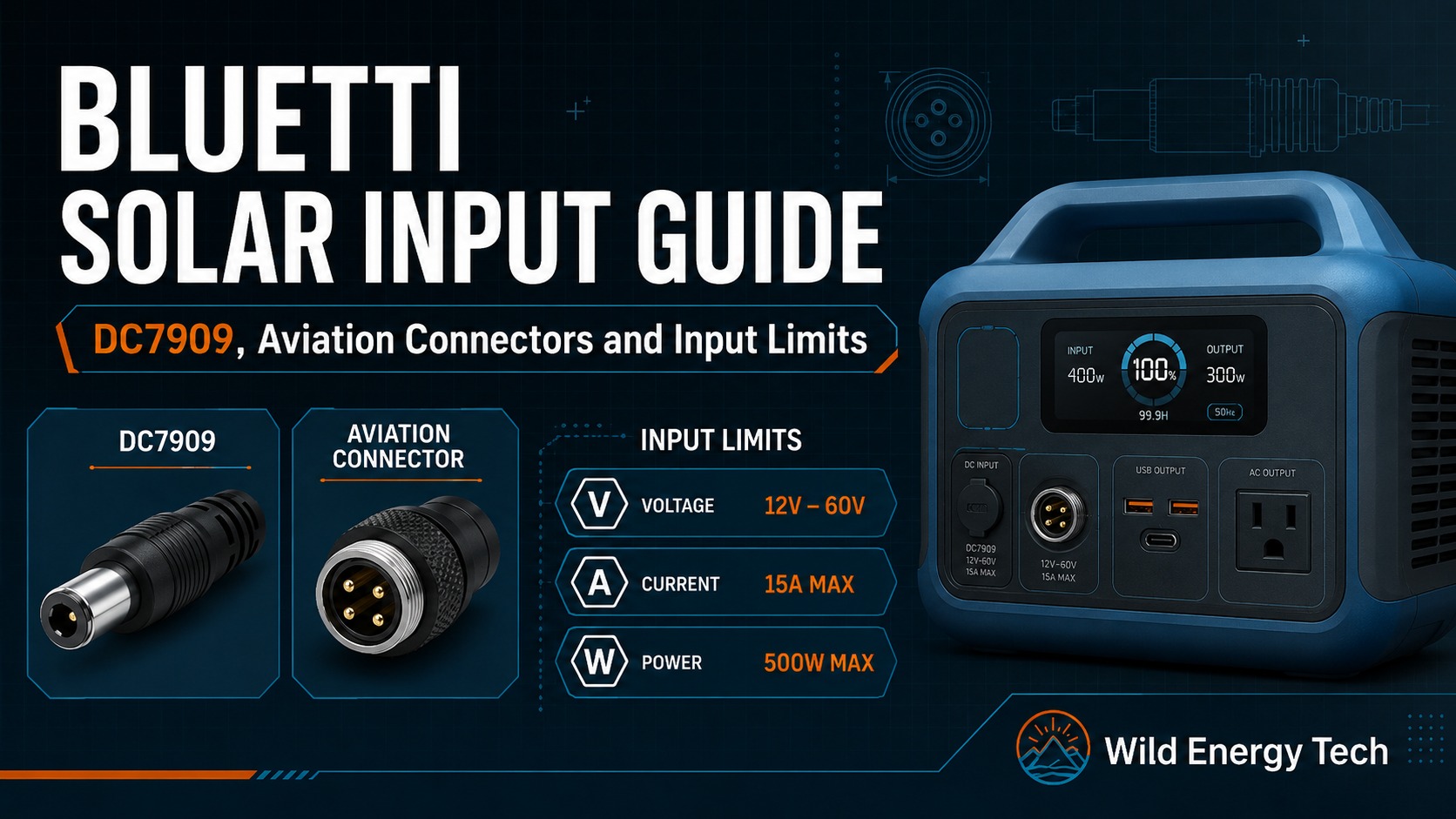
Bluetti solar input connectors can be confusing because different Bluetti models may use different input ports, adapter cables and expansion battery connectors. Some setups use DC7909-style barrel connectors, while others use aviation-style connectors, XT90, XT60, MC4 or model-specific cables.
This guide explains how to think about Bluetti solar input compatibility, especially around DC7909 connectors, aviation-style connectors and input limits. It is written for users who want to connect solar panels, adapter cables or expansion battery accessories without guessing.
The most important rule is simple: do not choose a Bluetti solar adapter only because the plug looks similar. Check the exact model, connector type, voltage range, current limit, wattage limit and polarity before connecting anything.
Safety note: Always check the official Bluetti user guide for your exact model before connecting a solar panel, adapter cable or external battery cable. Bluetti models can use different input limits and connector types, so one cable may not apply to every unit.
Quick Answer: Bluetti Solar Input Compatibility
Direct answer: There is no single universal Bluetti solar input connector. Depending on the model and generation, a station may use a DC7909-style barrel connector, XT60, MC4 or a model-specific aviation-style input, so verify the exact model and cable function before connecting a panel.
For Bluetti solar input compatibility, check these points first:
- Exact Bluetti model name, including generation or variant.
- Solar input voltage range and maximum solar input voltage.
- Maximum solar input current and wattage.
- Input connector type, such as DC7909, XT90, XT60, MC4, aviation-style connector or another port.
- Whether the cable is for solar input, AC adapter input or external battery connection.
- Solar panel Voc, Vmp, current and polarity before connecting.
If any of these details are unclear, stop and check the manual before connecting the cable.
Bluetti Connector Quick Reference
Different Bluetti Models Use Different Connectors
Bluetti power stations across different product lines may use DC7909, aviation-style connectors, XT90, XT60 or MC4 inputs. One cable type does not fit all models. Always confirm the exact connector, input limits and cable purpose for your specific Bluetti unit before connecting anything.
Barrel Connector
DC7909
- Used on some Bluetti solar or charging inputs.
- Also appears on some expansion battery cables.
- Not interchangeable with DC8020 or other barrel sizes.
- Always confirm the cable is for the right purpose — solar input or battery connection.
Multi-Pin Connector
Aviation-Style
- Round multi-pin connectors used on some Bluetti expansion battery accessories.
- Labelled P090D, P120D or P150D in Bluetti accessory listings.
- Some aviation-style connectors are used for battery expansion, while other model-specific aviation-style ports may serve DC or solar input. Verify the exact model and cable purpose.
- Confirm the exact accessory listing for your model before buying.
Critical: Solar Cable vs Battery Cable
- A solar input cable connects a solar panel to the power station solar charging port.
- An external battery cable connects a Bluetti expansion battery to a compatible power station — it is not a solar cable.
- Both may use similar connector names (DC7909, XT60, aviation-style) but serve different purposes.
- Do not assume a cable with DC7909 on one end is automatically a solar charging cable.
DC7909
P090D / P120D / P150D
XT90 / XT60 / MC4
Why Bluetti Solar Inputs Can Be Confusing
Bluetti has many portable power station models across different product lines. Smaller units, mid-range units, larger AC-series units and expansion batteries may not use the same cable system.
This means a cable that works for one Bluetti model may be wrong for another model. Some cables are intended for solar input, while others are intended for external battery connection or AC adapter charging.
For example, Bluetti has listed external battery cables with different ends such as P120D to DC7909, P120D to XT60, P090D to DC7909, P090D to XT90, P090D to MC4 and P090D to P150D depending on the model group. These listings refer to external expansion-battery cabling rather than solar input on every model, and Bluetti may update cables, listings or model names over time. Bluetti connector requirements also vary by model and region, so always confirm the exact cable for your unit against the official Bluetti external battery cable listing or your model manual before buying.
What Is DC7909 on Bluetti Power Stations?
DC7909 is an 8 mm class barrel-style connector often used in portable power station charging accessories. In Bluetti setups, DC7909 may appear on some input ports, adapter cables or external battery connection cables depending on the model.
DC7909 should not be treated as a universal Bluetti connector. It may look similar to other 8 mm barrel connectors, but small differences in centre pin size, plug length, polarity or port design can affect compatibility.
If your Bluetti unit or accessory calls for DC7909, use a cable that is clearly specified for that exact application, not a random “8 mm” adapter.
Related guide: DC Barrel Connector Guide: DC5521, DC5525, DC7909 and DC8020
What Are Bluetti Aviation-Style Connectors?
Aviation-style connectors are round multi-pin connectors used on some Bluetti accessories and larger power systems. They may be used for external battery connections, high-current connections or model-specific cable systems.
Names such as P090D, P120D or P150D may appear in Bluetti accessory listings. These are not the same as simple MC4 or DC barrel connectors, and they should not be substituted without checking the official compatibility list.
If an accessory uses an aviation-style connector on one end and DC7909, XT60, XT90, MC4 or another connector on the other end, check both sides of the cable and confirm what the cable is designed to do.
Solar Input Cable vs External Battery Cable
One common mistake is confusing a solar input cable with an external battery connection cable. They may use similar-looking connector names, but they do not always serve the same purpose.
A solar input cable is used to connect a solar panel or solar adapter to the power station’s solar charging input. An external battery cable is used to connect a Bluetti expansion battery or battery module to a compatible power station.
Do not assume that a cable with DC7909 on one end is automatically a solar cable. Check whether the cable is sold for solar charging, AC adapter charging or battery expansion.
Examples of Model-Specific Bluetti Cable Differences
Bluetti accessory listings show how model-specific the cable ecosystem can be. For example, one official Bluetti Europe listing describes a B80 aviation plug P120D to DC7909 cable for EB3A, EB70 and AC180, while another option uses P120D to XT60 for models such as EB55, AC2A, AC70 and AC50B.
Another Bluetti Europe listing for P090D external battery cables separates options such as P090D to DC7909, P090D to XT90, P090D to MC4 and P090D to P150D for different compatible models.
The practical lesson is that “Bluetti cable” is not specific enough. You need the exact model and the exact cable function.
Bluetti Solar Input Connector and Limit Comparison
Bluetti power stations do not all use the same DC input connector or solar input limits. Even models with similar capacity can require different cables. Always match both the connector and the electrical limits published for the exact model.
| Model | Solar / DC Input Connector | Published Voltage Range | Max Input Current | Max Solar Input |
|---|---|---|---|---|
| EB3A | DC7909 | 12–28 V DC | 8.5 A | 200 W |
| EB55 | XT60 | 12–28 V DC | 8 A | 200 W |
| EB70S | DC7909 | 12–28 V DC | 8 A | 200 W |
| AC180 | DC7909 | 12–60 V DC | 10 A | 500 W |
| AC200P | SP21-02PT aviation input | 35–150 V DC | 12 A | 700 W |
| AC200MAX | SP21-02PT aviation input | 10–145 V DC | 15 A | 900 W |
Model specifications and cable revisions can differ by region or hardware revision. Verify the current manual for your exact Bluetti model before connecting a solar array. Do not select a cable based only on connector appearance.
Bluetti Solar Input Limits Matter More Than the Plug
Even if the connector is correct, the solar panel still has to match the Bluetti unit’s input limits. A correct plug does not make an unsafe voltage safe.
Before connecting a solar panel, check the Bluetti model’s solar input range. Look for:
- Minimum and maximum solar input voltage
- Maximum input current
- Maximum solar input wattage
- Required input connector
- Any model-specific cable or adapter requirement
Then compare those values with the solar panel’s Voc, Vmp, current and wattage.
Related guide: How to Check if a Solar Panel Is Compatible With a Portable Power Station
Solar Panel Specs to Check Before Connecting to Bluetti
Before connecting a solar panel to a Bluetti power station, check the panel label or specification sheet.
| Solar panel value | Meaning | Why it matters |
|---|---|---|
| Voc | Open-circuit voltage | Used to check maximum voltage safety |
| Vmp | Voltage at maximum power | Used to check normal operating voltage |
| Isc | Short-circuit current | Helps understand current limits and array behaviour |
| Imp | Current at maximum power | Shows normal operating current |
| Pmax | Maximum rated power | Shows the panel’s rated wattage under test conditions |
Voc is especially important. If the panel or panel array open-circuit voltage exceeds the Bluetti unit’s maximum solar input voltage, do not connect it.
Related guide: Solar Panel Voc vs Vmp Explained for Portable Power Stations
Be Careful With Series and Parallel Panels
If you connect more than one solar panel to a Bluetti power station, series and parallel wiring can change the voltage and current of the setup.
- Series wiring increases voltage.
- Parallel wiring increases current.
Series wiring can quickly exceed the maximum solar input voltage if you do not calculate total Voc. Parallel wiring can increase current and place more demand on cables, adapters and branch connectors.
Related guide: Series vs Parallel Solar Panels for Portable Power Stations
How to Identify the Bluetti Connector Before Buying a Cable
Before buying a cable, identify the connector on both sides of the setup.
- Solar panel side: often MC4, but check your panel.
- Bluetti input side: may be DC7909, XT90, XT60, aviation-style or another connector depending on the model.
- Battery expansion side: may use P090D, P120D, P150D or another model-specific connector.
- Adapter path: check every connector in the chain, not just the first and last.
If you are not sure which connector you are looking at, compare it with a visual reference before ordering.
Related guide: Portable Power Station Visual Connector Guide
Check Polarity Before Connecting Third-Party Panels
Polarity means positive and negative. Even when a connector fits, the wiring can still be wrong if the adapter or cable is not made for the exact setup.
This is especially important with mixed-brand solar panels, adapter chains or unknown cables. Do not assume polarity from the connector shape alone.
Use a digital multimeter if you need to confirm polarity before connecting the panel to the Bluetti unit.
Related guide: How to Check Solar Panel Polarity Before Connecting to a Portable Power Station
Common Bluetti Solar Input Mistakes
Avoid these common mistakes when connecting solar panels or adapters to a Bluetti portable power station.
Assuming all Bluetti models use the same cable
Bluetti models can use different connector systems and input limits. Always check the exact model.
Confusing battery cables with solar input cables
An external battery cable is not automatically a solar charging cable. Check the cable purpose before using it.
Buying a random DC7909 adapter
DC7909-style connectors can vary by application. Use a cable specified for your Bluetti model and purpose.
Ignoring voltage limits
The correct connector does not protect the unit from an over-voltage solar panel setup. Check Voc before connecting.
Using long adapter chains
Long adapter chains can add resistance, weak contacts and more points of failure. Keep the connection path as clean and properly rated as possible.
When You Should Not Connect the Setup
Do not connect a solar panel, adapter or cable to a Bluetti unit if any of these are true:
- You do not know the exact Bluetti model input limits.
- The solar panel Voc exceeds the maximum solar input voltage.
- You cannot confirm whether the cable is for solar input, AC adapter charging or external battery connection.
- The connector is loose, forced, damaged or unclear.
- The polarity is unknown.
- The cable rating or seller specification is unclear.
Final Recommendation
For Bluetti solar input compatibility, start with the exact model and official specification. Do not assume that every Bluetti unit uses the same DC7909, aviation-style connector, XT90, XT60 or MC4 cable path.
Before connecting a solar panel, check the Bluetti input voltage range, maximum voltage, current limit, wattage limit, connector type and cable purpose. Then compare those values with the panel Voc, Vmp, current, polarity and adapter rating.
A clean, safe Bluetti solar setup depends on the full specification, not just the connector name.
Need the right Bluetti solar input accessory?
Once you have confirmed your Bluetti model’s connector type, cable path, voltage window and current limit, you can browse official Bluetti solar input cables, adapters and accessories directly from the official Bluetti store.
Affiliate disclosure: The link below is an affiliate link. If you buy through it, I may earn a commission at no extra cost to you.
Check Official Bluetti AccessoriesBefore ordering: Confirm your exact Bluetti model, connector type, voltage, current, and official manual before ordering.
Related Wild Energy Tech Guides
If you are checking Bluetti solar input compatibility, these guides may also help:
DC Barrel Connector Guide: DC5521, DC5525, DC7909 and DC8020
Portable Power Station Visual Connector Guide
How to Check if a Solar Panel Is Compatible With a Portable Power Station
Solar Panel Voc vs Vmp Explained for Portable Power Stations
How to Check Solar Panel Polarity Before Connecting to a Portable Power Station