
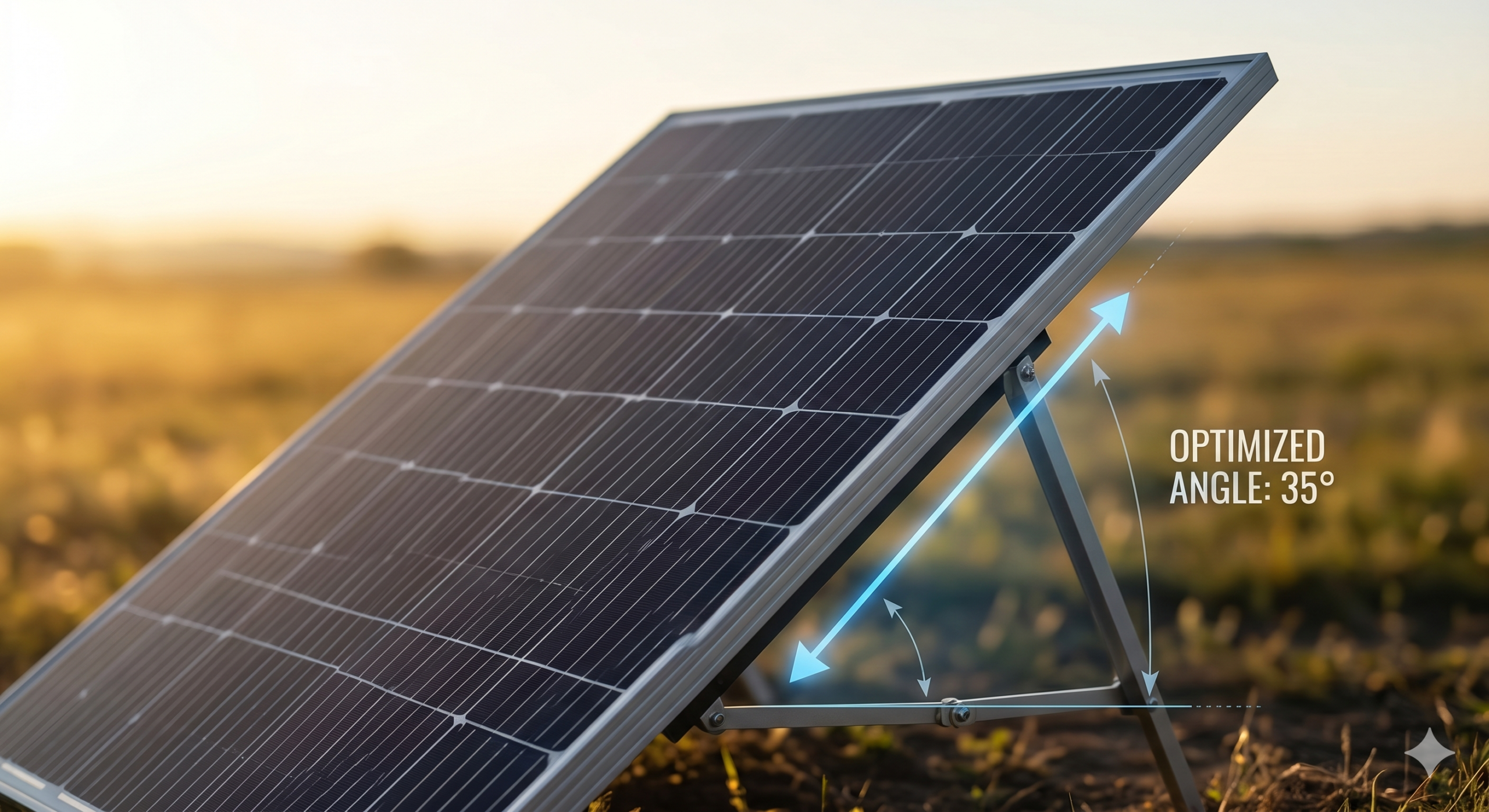
Portable solar charging optimisation is the process of improving how much usable power your solar panels actually deliver to a portable power station. Even when a panel is rated for 100W, 200W, or 400W, real-world output can fall significantly short because of panel angle, temperature, cable quality, connector limits, shading, and MPPT behaviour.
Most users assume low solar input means a faulty panel or power station. In practice, the cause is usually one or more correctable setup conditions. This guide explains why portable solar panels often underperform their rated wattage and what to check before changing hardware.
If you are using a Jackery unit, check the Jackery Explorer 200W solar panel compatibility guide before selecting or connecting a panel.
Why Rated Wattage Rarely Matches Real-World Output
Solar panels are rated under Standard Test Conditions (STC), which use an irradiance of 1,000 W/m² and a cell temperature of 25°C. Real outdoor conditions almost never match this exactly.
In practice, factors such as panel angle, ambient heat, haze, partial shading, and cable losses all reduce the usable power that reaches the power station. A panel rated at 200W often delivers noticeably less than its label rating in real outdoor conditions, and the exact figure varies by panel, weather, angle, cable, and power station. This is normal and does not indicate a fault.
Understanding what causes the gap helps you improve performance without buying unnecessary replacement hardware.
Temperature and Panel Efficiency
Solar panel efficiency tends to decrease as cell temperature rises above the STC reference of 25°C. Most crystalline silicon panels have a temperature coefficient for power output, typically specified on the panel datasheet as a negative percentage per degree Celsius. The exact figure varies by panel type and manufacturer, so check the specification sheet for your panel rather than using a general estimate. For background on why temperature affects panel output, see PVEducation: Effect of Temperature.
The practical result is that a panel left flat on a hot surface in strong sun may produce noticeably less power than the same panel angled and ventilated. Raising the panel slightly from a hot surface and allowing airflow underneath can help keep cell temperature lower.
Panel Angle and the Cosine Effect
Solar panels produce the most power when sunlight strikes the surface at a direct 90-degree angle. As the angle of incidence increases, the effective irradiance on the panel decreases. A panel lying flat on the ground mid-morning or late afternoon may receive significantly less sunlight than the same panel tilted toward the sun.
Adjusting the panel angle to face the sun more directly can improve real-world output noticeably. Foldable portable panels often have a built-in kickstand. Repositioning every one to two hours during the charging period can help maintain better input to the power station.
Shading
Partial shading has a disproportionate effect on solar panel output. Even a small shadow covering one section of a panel can significantly reduce the output of that panel, particularly in series-wired configurations. Before positioning a panel for the day, check for moving shadows from trees, rooflines, cable handles, or nearby structures.
Cable Quality, Length, and Voltage Drop
Electrical resistance in the cable between the solar panel and power station causes a voltage drop. The longer the cable and the thinner the wire gauge, the greater the drop, which means the power station may receive less usable voltage and power than the panel is producing. Voltage drop is separate from cable ampacity and fire safety. Undersized cables can also cause heat buildup, insulation damage, or fire risk in sustained high-current setups, so use a wire gauge rated for the current you actually expect to run.
For shorter cable runs, a 12AWG cable is often adequate. For longer runs or higher-current setups, 10AWG copper cable reduces resistance and helps the power station’s MPPT controller receive more stable input. Using thin or low-quality extension cables can account for a meaningful portion of lost charging performance.
Related guide: Hardware Vault — Solar Adapters and Connectors
Connector Type and Input Detection
The connector between the solar panel and the power station can affect whether the unit correctly identifies the input as solar charging. For some EcoFlow models, using a standard XT60 cable instead of the correct XT60i solar charging cable may cause the power station to treat the input as a lower-current DC source and limit charging accordingly.
Related guide: EcoFlow solar charging stuck at 8A — the XT60i fix
Before assuming a cable is correct, confirm whether your power station model expects an XT60 or XT60i solar charging cable. The connector may physically fit either way, but the charging behaviour can differ.
Related guide: Visual Connector Guide — MC4, XT60, XT60i, DC Barrel
Voltage Compatibility and MPPT Behaviour
Portable power stations use a Maximum Power Point Tracking (MPPT) controller to manage solar input. For the MPPT to operate correctly, the panel’s operating voltage (Vmp) needs to fall within the power station’s accepted solar input range.
If the panel’s Vmp is too close to the minimum accepted voltage, especially in weak light, the MPPT may struggle to lock on to an efficient operating point. If the panel’s open-circuit voltage (Voc) is too close to or above the maximum input voltage, the setup may not be safe to use.
Always check both Voc and Vmp against the power station’s official solar input specification before connecting. Voc is the safety ceiling; Vmp is the operating range check.
Related guide: Solar Panel Voc vs Vmp Explained for Portable Power Stations
Series and Parallel Wiring
If you are connecting more than one solar panel, the wiring method changes the electrical output of the array.
Series wiring increases voltage while keeping current roughly the same. Parallel wiring increases current while keeping voltage roughly the same. Both approaches have implications for whether the resulting array matches the power station’s input limits.
When connecting panels in parallel, panels of different voltage ratings should not simply be assumed to average out — the actual behaviour depends on the internal characteristics of each panel and the MPPT controller. For reliable results, use identical or closely matched panels. If you are mixing panels, understand that performance may differ from the nameplate ratings and verify the resulting array values against the power station’s input specification before connecting.
Related guide: Series vs Parallel Solar Panels for Portable Power Stations
Battery State of Charge
Most portable power stations reduce the charging rate as the battery approaches full. If the unit shows lower solar input than expected, check the battery percentage first. A unit at 90% or above may be deliberately tapering input as part of its battery management behaviour.
Polarity and Adapter Safety
Before connecting any third-party solar panel, adapter, or extension cable, confirm polarity. A connector that fits physically may still carry reversed polarity if the adapter or cable has not been checked. Reversed polarity can prevent charging, trigger protection circuits, or in some cases cause damage.
Related guide: How to Check Solar Panel Polarity Before Connecting to a Portable Power Station
Practical Optimisation Checklist
Use this checklist to work through the most common causes of lower-than-expected solar charging before changing hardware.
| Check | What to look for |
|---|---|
| Panel angle | Is the panel facing the sun directly? Is the kickstand in use? |
| Shading | Is any part of the panel in shadow, even a small area? |
| Cable quality | Is the cable short and appropriately gauged (10–12AWG)? |
| Connector type | Does the model require XT60 or XT60i? Is the correct cable in use? |
| Voltage match | Is the panel Voc below the max input voltage? Is Vmp inside the input range? |
| Battery level | Is the battery already near full, causing tapered charging? |
| Temperature | Is the panel surface very hot? Is the power station in direct heat? |
| Polarity | Has polarity been confirmed before connecting third-party adapters? |
| Compatibility | Have the panel specs been compared to the power station’s solar input limits? |
Related guide: Portable Power Station Compatibility Checklist
FAQ
Why is my solar panel not reaching its rated wattage?
Panel ratings are measured under ideal test conditions that real outdoor setups rarely match exactly. Panel angle, temperature, cable length, partial shading, and the power station’s own input limits all reduce the usable power delivered. Check each factor in order before replacing hardware.
Does using a longer solar extension cable reduce charging speed?
Yes, it can. Longer cables increase resistance, which causes voltage drop. The impact depends on cable length, wire gauge, and the current being drawn. For longer runs, use thicker cable (10AWG or similar) to keep losses manageable.
Is glass better than flexible solar panels for charging performance?
Rigid glass-fronted panels generally have better heat dissipation and more stable long-term efficiency than flexible panels. However, flexible panels are lighter and easier to carry. The best choice depends on your use case. For a fixed or semi-permanent outdoor setup where performance matters most, rigid panels tend to be more consistent. For mobile or portable use, flexible panels may be more practical despite some performance trade-offs.
Can I mix different solar panels in a parallel setup?
Mixing panels with different specifications in parallel is possible but adds complexity. The resulting output may not match the sum of each panel’s rating, and the weaker panel may limit the stronger one in some configurations. For predictable results, use identical or closely matched panels. Always verify that the combined array stays within the power station’s maximum input voltage and current limits before connecting.
Related Wild Energy Tech Guides
Solar Panel Voc vs Vmp Explained for Portable Power Stations
Series vs Parallel Solar Panels for Portable Power Stations
Portable Power Station Compatibility Checklist
How to Check Solar Panel Polarity Before Connecting to a Portable Power Station
Hardware Vault — Solar Adapters, Connectors and Cables